How to choose marketplace inbox software
What to check before paying for software that brings Shopee, Lazada, and TikTok Shop buyer messages into one inbox.
Last reviewed: 11 November 2026 · Asia/Shanghai (UTC+8)
This guide is for sellers on Shopee, Lazada, or TikTok Shop who are deciding whether to pay for software that brings buyer messages from different shops into one inbox. It does not recommend one product. It helps you decide what you need and what to check.
Buyer messages from different shops in one inbox
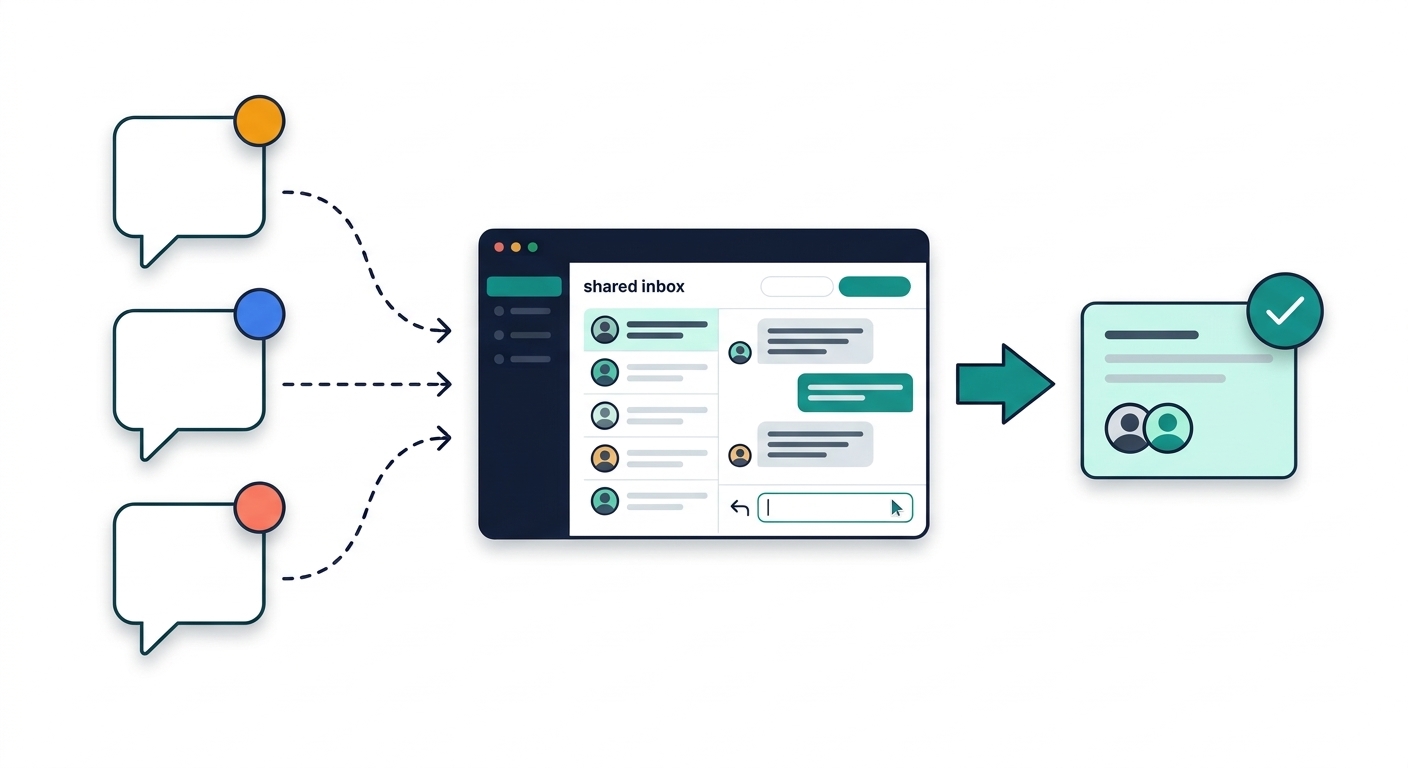
- Seller appsBuyer chats start in each marketplace app.
- One inboxSoftware may show new messages in one place for your team.
- Staff replyAnswers can use shared history instead of one phone only.
Illustration only: example picture, not a product CompareOps tested.
Chat icons are examples—not proof every tool connects to those apps. Countries, connections, and features vary.
The checkmark on the reply card is not a promise every message is answered on time.
This guide is about buyer chat and after-sales messages, not order management or inventory sync. If a tool also manages orders or stock, use this guide to check its buyer-message features. What follows is editorial advice, not a product test. CompareOps has not independently tested inbox products for this guide.
Read a vendor's own pages before you rely on a claim. CompareOps does not yet publish a verified shortlist of marketplace inbox products. A mention in this guide is not a live listing. When inbox listings are published, they will appear on the Tools page with sources and the date they were checked. How to read a listing explains those marks.
First, write down what you have and what you need
Write down:
- the countries you sell in, your shop accounts, and the marketplaces
- the languages buyers write in
- how many people reply to messages today
- any other channels you need, such as WhatsApp, Facebook, Instagram, email, or a webstore chat
Writing down these details will help you compare software more easily.
You may not need new software
Each marketplace's own chat may still be enough if:
- one person answers each shop's seller-app chat within the time the marketplace expects
- replies are rarely late or missed
- time spent switching between inboxes is small next to the cost and setup of a tool
One shop can still need software. Add up the hours you spend and the conversations you miss. Do not decide from the number of shops alone.
Software may help with these problems
These are reasons it is worth looking—not an instruction to buy the first product you open.
- Buyer messages sit in more than one seller app, and more than one person replies.
- Replies are already late or missed, or you copy the same answer by hand many times a day.
- Staff need a shared history so the next person sees what was already promised to the buyer.
If some points fit you and others do not, add up your hours and missed conversations before you pay.
What to check
Marketplace inbox software is a shared place to read and reply to buyer messages. It is not automatically an order-management system. It does not replace the marketplace's own chat rules.
A marketplace name on a homepage is not proof that the tool connects to your country site or your seller type. Suggested replies, translation, or automatic answers are claims to check, not facts. Seller Center is the marketplace's own website for sellers, such as Shopee Seller Centre.
Countries and accounts
Check that the tool can connect to the shops you actually use.
- Which shops connect. Which of your countries, marketplaces, and shop accounts can connect to chat today.
- Seller type. A cross-border shop sells into another country. A local shop sells in one country. A brand store is not an individual seller account. Check that your type can connect.
- Country sites. Whether a connection works on your country site, or only on some.
Message timing
Check how fast messages and replies move between the tool and the marketplace.
- How often the tool pulls new messages from each marketplace.
- How soon a reply you send appears for the buyer.
- Seller Center replies. What happens if staff also reply in Seller Center—get that rule in writing.
- Unknown timing. If the vendor cannot describe the timing, treat the response time as unknown, then decide whether you can accept that.
Who can reply, and what they can see
Check that your team can work in one place without missing order details.
- Staff on the plan. How many people can reply at once.
- Whether you can assign a chat to one person, and whether everyone can see the history.
- Order details. Whether staff can see the order, tracking number, and stock number needed to answer the buyer.
Suggested replies and automation
If the product offers templates, translation, or automatic answers, check what you are actually paying for. A credit is one unit the plan spends on a message or an automatic action.
- What is included. Whether these features are in the plan you would buy, or cost extra.
- Whether a person must confirm a reply before it is sent.
- Credits. How many message or automation credits the plan includes, what one credit pays for, and what happens when you run out.
- Marketing figures. A marketing accuracy figure is not a substitute for those answers.
Plan caps and extra fees
Check the real cost, not only the starting price.
- Billing basics. The billing period, the currency you will actually be billed in, and whether tax is included.
- What the plan limit counts: staff, shops, messages, or automation credits.
- Extra fees. Whether extra channels such as WhatsApp, extra shops, or more staff cost extra, and whether the marketplace charges an app fee.
- After a discount. What the price becomes when a first-year or promotional discount ends.
- Different prices. A "from" price, a promotional annual price, and a month-to-month price are not the same figure. This guide does not quote prices.
Support, a small try, and leaving
Check support, try the tool on a safe shop, and know how to leave.
- Languages and hours. Which languages the support team replies in, and which hours they cover in your time zone.
- A small try. A free trial is not guaranteed. If one is offered, connect a shop that is not your main account, and walk through a pre-sale question, a shipping question, and a return or complaint.
- Translation and auto-replies. Test these on messages where a mistake is not costly.
- Leaving. How to export conversation history and how to cancel—before you move every shop.
Red flags
- A homepage lists several marketplaces or countries, but no page you can open names your country site or the chat connection steps.
- "Real-time" or a high accuracy percentage appears in marketing, but the help pages do not say how often new buyer messages are brought into the tool, or how suggested replies are billed.
- The quoted price leaves out extra staff, extra shops, message or automation credits, or a marketplace app-store fee.
- A promotional annual price is treated as the ongoing cost, or month-to-month prices are not on a page you can open.
- The vendor cannot say what happens if staff also reply in Seller Center.
These are editorial warning signs, not findings from a CompareOps product test.
Checklist
- Countries, shops, marketplaces, buyer languages, and any extra channels are written down.
- You know which of those accounts can connect to chat today.
- You know whether that includes your seller type and your country site.
- You know how often messages are pulled, and how soon a reply appears.
- You know what happens if staff also use Seller Center.
- You know how many staff need to reply, and whether chats can be assigned.
- You know whether staff can see the order details they need, and what happens when credits run out.
- You know the billing period, the currency you pay in, and the plan limit.
- You know any extra fee, marketplace app fee, or renewal charge, plus support language and hours.
- You know whether a small trial exists, whether you can export conversation history, and how to cancel.
- You have added up the hours and missed conversations, including if you have only one shop.
If an answer is still unknown, do not assume the tool can do it. This page is not a shortlist.